
Age needs one voice. Now it has:
Age NI is the new force combining Age Concern Northern Ireland and
Help the Aged in Northern Ireland. Age NI is a member of the Age UK family.
The new force combining &
There’s no doubt that the cold winter weather can be a worry for those in later life. But with a little preparation, and by following some simple suggestions, it’s possible to stay healthy, safe and as comfortable as possible this winter.
Here’s a list of things you can do to help ward off the winter chills:
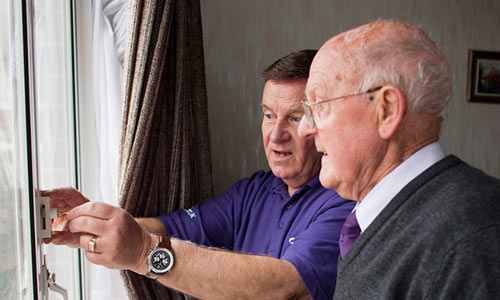
Heating your home is easier and cheaper if it is well insulated and your central heating works properly. Have your heating system serviced each year and check that it’s working before the cold weather starts. Gas heating must be serviced by a Gas Safety Registered engineer. Draught-proof doors and windows, insulate the loft and lag the hot-water tank and pipes. The Energy Saving Trust can advise you whether or not you may be able to get financial help to do this – call 0800 512 012. Grants from the government and energy suppliers to help heat and insulate your home may be available if you are over 60.
Contact your energy supplier if you are having trouble paying your bills. Companies should not disconnect all-pensioner households during winter months. Also ask about their Priority Service Register for older and disabled people, and if you are eligible for free energy efficiency and insulation. People over Pension Credit age are entitled to the Winter Fuel Payment to help with heating costs. If you have not been eligible before, contact the Winter Fuel Payment Helpline 0845 9 15 15 15 for more information.
If you receive Pension Credit or certain other benefits, you are automatically paid an extra cold weather payment when the temperature is at freezing or below for seven days in a row. To find out if you are receiving the benefits you are entitled to, call Age NI on freephone 0808 808 7575 from 8.00am to 7.00pm.
Our Advice and Advocacy service offers free, confidential and impartial advice from trained advisors to older people, their relatives, friends and carers.
Set your location to see what Age NI offers in your local area.
Guides and factsheets aimed to keep you informed about issues surrounding home and care.
Download and share our Community Care factsheets.
Downloads
A download is a document (like a research report, a leaflet, or an application form) that can be transferred from our website to your computer. You can download a file, view it on your screen, print it, or save it to your computer.
PDF stands for ‘portable document format’.
Most downloads on this website are PDFs. We use this format to ensure that the document looks the same on everyone’s computer (website pages, by contrast, appear differently depending on how people have got their computer set up).
Computers use a program called Adobe Acrobat Reader to download PDFs. If you try clicking on a link to download a PDF and it doesn’t work, you will need to install Adobe Acrobat Reader onto your computer.
The process is quite straightforward and is free.
PDFs cannot be changed. If you need to be able to type into a downloaded document (for example, if we are offering a letter template that you need to put your name on) we will provide it as a Microsoft Word document rather than a PDF. You can then download it, type into it and save it to your computer.
Downloads will open on your computer in a new browser window.
Inside this window (below all your web browser menus), there will be a toolbar with options for you to print or save the document.
Close the browser window to return to the Age UK website.
We have made every effort to make our PDFs accessible to screen readers. Here is an overview of your accessibility options available in Acrobat Reader. Please ensure that you have downloaded the latest version of Acrobat Reader from the Adobe Reader website to ensure that they are included in your version of the programme.You can use Adobe Reader to read a PDF out loud with the following shortcut keys:
You can also convert a PDF into a web page by following these steps:
You can convert a PDF document into a text file for use with other software and hardware such as Braille printers by opening the PDF and choosing ‘Save as text’ from the File menu.
Advice from NI Direct government services on support and safety in your home.
The Warm Homes scheme is funded by the Department for Social Development, to make your home warmer, healthier and more energy efficient.
Sign up for our email newsletter.
Set the appearance of this website so you can read it more easily
To see information relating to England, Scotland or Wales set your preference below: