AAA Display options

The new force combining Age Concern logo & Help the Aged logo

Housing and homes


Man working on a boiler
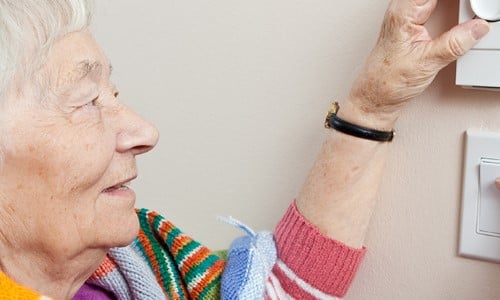
Age UK is working to enable older people to remain independent in their own homes for longer and with more confidence.

Recent publications and reports

Here are a selection of recent and important documents. For related Age UK publications please use the search box below to carry out a more comprehensive search.

opens link in new window 'Going the extra mile': Neighbourhood Wardens report (PDF 1MB)

opens link in new window Involve, Engage, Empower (PDF 2MB)

opens link in new window Neighbouring and older people (PDF 522KB)

opens link in new window Loneliness and isolation evidence review (PDF 2MB)

We know from our experience and evidence that the majority of older people want to remain in their own homes for as long as is practically possible. We know that ‘a little bit of help’ offered in a timely and personal way can have a significant beneficial impact on health-related quality of life. (link to evidence review) Age UK and its partners offer a range of services to enable this to happen.

What Age UK does nationally

Age UK is leading on a flagship strategy with local Age UK partners to enable high quality home support to be accessed by older people across the UK - Age UK is also a provider of a number of directly delivered services:

  • The HandyVan Service: A fleet of 27 HandyVans across 22 areas offer practical support in terms of home safety, home security, minor adaptations and repairs in people’s homes.
  • The Gifted Housing Service: By gifting their house to Age UK, a home owner (70 years or older) can stay in their home longer with peace of mind, knowing the Charity is looking after all the maintenance needs and has organised all the right care to be in place to support them as they get older.
  • The Neighbourhood Wardens Programme: This programme aims to improve the way people in later life are supported and engaged within their neighbourhoods. Working closely with over 200 warden schemes and five regional Neighbourhood Resource Centres, it offers practical support through training, grants towards events and activities, toolkits and other resources, and improved access to Age UK’s services, projects and products. Please email neighbourhood.wardens@ageuk.org.uk for more information.

What Age UKs and Age Concerns are doing locally

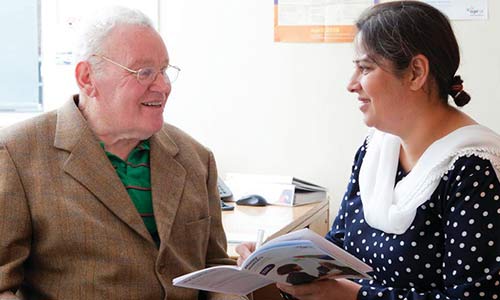
  • Local Age UKs and Age Concerns develop and provide vital home and care services to people in later life, ranging from specific home help services, such as cleaning, gardening and shopping, and also community warden and ‘handyperson’ schemes.
  • Over the coming year, Age UK will be working with local partners on defining types of services that can be delivered on a national scale and to a consistent and high-quality standard.

Keep up-to-date

Stay in touch with all the latest Policy and Research news with our monthly newsletter

Useful download

  • Download our Services for Later Life 2012 programme and booking form:
    opens link in new window Services for Later Life conference and booking form PDF (314 KB)
    Help with downloads

    Downloads

    What is a download?

    A download is a document (like a research report, a leaflet, or an application form) that can be transferred from our website to your computer. You can download a file, view it on your screen, print it, or save it to your computer.

    What is a PDF?

    PDF stands for ‘portable document format’.

    Most downloads on this website are PDFs. We use this format to ensure that the document looks the same on everyone’s computer (website pages, by contrast, appear differently depending on how people have set their computer up).

    How do I download a PDF?

    Computers use a program called Adobe Acrobat Reader to download PDFs. If you try clicking on a link to download a PDF and it doesn’t work, you will need to install Adobe Acrobat Reader onto your computer.

    How do I install Adobe Acrobat Reader?

    The process is quite straightforward and is free.

    1. Go to opens link in new window http://get.adobe.com/uk/reader/
    2. Click ‘Download’.
    3. Wait for the window to offer you the option to ‘Run’, then choose this option.
    4. Click ‘Next’.
    5. Click ‘Install’
    6. Wait for the window to offer you the option to ‘Finish’, then choose this option.

    How do I change a download?

    PDFs cannot be changed. If you need to be able to type into a downloaded document (for example, if we are offering a letter template that you need to put your name on) we will provide it as a Microsoft Word document rather than a PDF. You can then download it, type into it and save it to your computer.

    How do I print or save a download?

    Downloads will open on your computer in a new browser window.

    Inside this window (below all your web browser menus), there will be a toolbar with options for you to print or save the document.

    Close the browser window to return to the Age UK website.

    Can my screen reader read PDF downloads?

    We have made every effort to make our PDFs accessible to screen readers. Here is an overview of your accessibility options available in Acrobat Reader. Please ensure that you have downloaded the latest version of Acrobat Reader from the Adobe Reader website to ensure that they are included in your version of the programme.

    You can use Adobe Reader to read a PDF out loud with the following shortcut keys:

    • Read the document: Shift +Ctrl+Y
    • Read the open page only: Shift +Ctrl+V
    • Read to the end of the document: Shift+Ctrl+B
    • Pause: Shift+Ctrl+C
    • Stop Shift+Ctrl+E

    You can also convert a PDF into a web page by following these steps:

    • Copy the URL (web address) of the document (right-click on the link and select ‘Save target as’ or ‘Copy link’).
    • Open the Adobe online conversion tool in your browser and paste the URL into the URL box.
    • Tick the HTML box on the Format option and click ‘Convert’.

    You can convert a PDF document into a text file for use with other software and hardware such as Braille printers by opening the PDF and choosing ‘Save as text’ from the File menu.

Find local services near you

Close window
Display options

Set the appearance of this website so you can read it more easily

Text size

Background/foreground


To see information relating to Northern Ireland, Scotland or Wales set your preference below: